How to Spot AI-Generated Images Before You Share Them
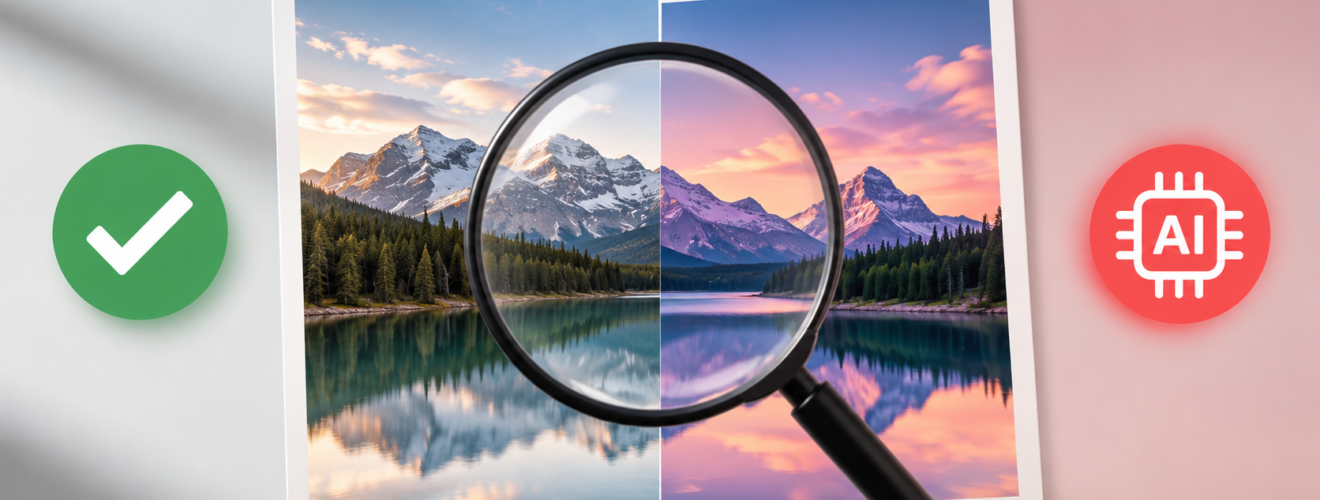
AI-generated images have reached a point where a fake picture can look almost as real as a camera photo. A few years ago, strange hands, broken text, odd faces, and poor details often gave AI images away. That is no longer a safe test. New image models can create realistic people, places, products, documents, buildings, and news-style scenes with very few visible errors.
This creates a serious problem for anyone who sees images on social media, news sites, messaging apps, or search results. A picture can look convincing and still show an event that never happened. A real photograph can also carry a false caption or an altered context. The image itself may be genuine while the story around it may be false.
The safest approach now combines several forms of evidence. The source, image history, digital credentials, invisible watermarks, reverse image search, and visible details can all help. No single test can confirm every image.
AI Images Have Become Harder to Spot
Old advice often focused on obvious visual mistakes. Extra fingers, strange teeth, misspelled signs, twisted jewelry, and unnatural faces once gave strong clues. Modern AI systems have reduced many of these errors.
Text inside images has also improved. AI models can now create posters, shop signs, labels, book covers, menus, screens, and documents with far greater accuracy. Faces can appear natural, skin can have realistic texture, and shadows can match the scene well.
That does not mean visual clues have become useless. They still matter. They simply need to form part of a wider check.
Google’s current guidance still recommends close attention to garbled text, errors in hands and teeth, strange background details, inconsistent shadows, unusual lighting, and repeated patterns. Reverse image search and metadata checks also remain useful parts of the process.
The key change is simple: a realistic image deserves more than a quick glance.
Start With the Source
The source often tells more than the picture.
A dramatic image may appear with a claim about a war, protest, disaster, celebrity, politician, public event, or major news story. Before accepting the claim, the original source deserves attention.
A trustworthy source should have a clear identity, a consistent history, and enough information about the image. A random social media account with no clear background offers far less confidence than a professional news organization, official institution, photographer, or established publication.
The date also matters. An old photograph can appear beside a new event and create a false story. A genuine photograph from one country can also appear with a false claim about another country.
The earliest known source can provide an important clue. If an image first appeared months or years before the event described in a new post, the current claim needs serious doubt.
Content Credentials Offer a Stronger Clue
Content Credentials have become one of the most important developments in image verification.
The system comes from the Coalition for Content Provenance and Authenticity, known as C2PA. It can attach a cryptographically signed record to a media file. That record can describe where the file came from, which tool created it, and what changes took place later.
C2PA does not exist only for AI images. Cameras, publishers, software companies, and other organizations can also use the standard to record the history of digital content.
A major C2PA update in 2026 added clearer guidance for AI-created and AI-edited media. The system can distinguish fully generated content from human-created material that later received AI edits. It can also describe which part of an image received an AI change.
This distinction matters. A real photograph with an AI-edited background is not the same as a fully synthetic photograph. A simple “AI” label cannot explain that difference, while detailed provenance can.
Content Credentials work best when the original file remains intact. Social platforms, file conversions, editing tools, screenshots, and other processes can remove metadata. A missing credential therefore does not prove that an image came from a camera.
Invisible Watermarks Add Another Layer
Invisible watermarks now provide another way to trace AI media.
Google’s SynthID places an invisible digital signal inside supported AI-created content. Humans cannot see the mark, but compatible systems can detect it. Google says SynthID has reached more than 100 billion images and videos, along with a large volume of audio.
SynthID has a useful advantage over ordinary metadata. Metadata sits alongside the image, while a watermark sits inside the media itself. Google designed SynthID to survive several common changes, such as cropping, filters, and compression.
OpenAI also adopted a layered system in 2026. Supported images from ChatGPT, Codex, and the OpenAI API carry both C2PA metadata and SynthID watermarks. OpenAI also provides a public verification service that can check supported files for OpenAI provenance signals.
This does not create a universal AI detector. OpenAI’s verification system focuses on provenance signals linked to OpenAI tools. Google’s SynthID check also focuses on content created or edited with Google AI. A clean result therefore cannot prove that an image came from a human photographer.
Gemini Can Check Images for AI Signals
Google has added AI verification to Gemini. A person can upload a single image and ask whether Google AI created or edited it. Gemini can check for a SynthID watermark and can also inspect Content Credentials when they exist.
A detected SynthID mark means that all or part of the image came from a supported Google AI model. No detected SynthID mark only means that Google AI did not leave a detectable signal. Another AI system may still have created the image.
Gemini can also show information from Content Credentials, such as the media’s composition, edit history, and AI involvement. Google has expanded these verification tools across Gemini, Search, Chrome, and other products.
This makes image checks easier than the older process of sending a suspicious file to an unknown third-party detector.
OpenAI Has Its Own Verification Tool
OpenAI now offers a public verification tool for supported images. The tool checks for provenance signals tied to OpenAI products, such as C2PA records and SynthID watermarks.
A positive result can show that an image carries a supported OpenAI provenance signal. It cannot prove that the picture tells the truth. It cannot confirm that the image has no edits, establish legal ownership, identify the person who created it, or prove that the image has the correct context.
A negative result also needs care. An image may lack a detectable signal if it came from an older system, an unsupported product, an unsupported file type, or a process that removed or damaged the provenance data.
The result therefore acts as evidence, not as a final verdict.
Reverse Image Search Still Matters
Reverse image search remains one of the simplest ways to investigate a suspicious picture.
A search can reveal older copies, original photographs, news reports, stock images, social media posts, or fact-check articles. It can also show that a picture existed long before the event described in a recent post.
The result may expose a false caption without proving that the image itself is AI-generated. That distinction matters. An old real photograph can support a false claim just as easily as an AI image can.
Search results should therefore answer two separate questions. First, where did the image come from? Second, does the current claim match the original context?
Google itself recommends reverse image search as one method for finding an image’s origin and related versions.
Metadata Can Reveal Useful Details
The original image file may contain metadata. A photograph can carry information about the camera, date, exposure, software, and other technical details.
Such data can support a claim about an image’s origin. A camera model and capture date may make sense for a genuine photograph. Editing software in the file history may reveal later changes.
Metadata cannot provide absolute proof. A person can remove it, alter it, or export the image through software that strips it away. Social platforms often change files during upload and delivery.
A screenshot creates another problem. A screenshot usually loses much of the original file information, which makes provenance checks harder.
For serious verification, the original file offers far more evidence than a screenshot from a social media post.
Visual Clues Still Have Value
Visual inspection remains useful when it focuses on several details rather than one famous AI mistake.
Text deserves close attention. Letters may appear correct at first glance but fail under closer inspection. Logos can contain small shape errors. Signs can contain strange spacing or impossible words.
Hands can still reveal mistakes, but hands should not act as the only test. Teeth, ears, jewelry, glasses, buttons, fingers, and small objects can also show errors.
Reflections deserve special attention. Mirrors, windows, polished floors, water, and shiny objects should reflect the scene in a logical way. AI can create attractive reflections that do not fully match the objects around them.
Shadows also provide useful clues. A person may cast a shadow in one direction while nearby objects cast shadows in another. Light on a face may also fail to match the light on the surrounding scene.
Background details can expose synthetic images too. People may repeat in unusual ways. Buildings may contain impossible structures. Objects may merge into one another. Small details may look sharp in one area and strangely soft in another.
None of these signs proves AI creation. Several unusual details together create a stronger reason for further verification.
AI Detectors Need Careful Use
Dedicated AI-image detectors can offer another signal, but they should not act as final judges.
New image models change fast. A detector trained on older models may struggle with newer systems. Image resizing, compression, cropping, filters, and other edits can also affect detector results.
Recent tests have shown poor performance from some automated detectors against newer image models. One 2026 report cited accuracy levels as low as 18% to 30% for some current models and detectors.
That makes detector scores useful as clues rather than proof.
A result such as “92% AI” does not establish that the picture is fake. A result such as “likely real” does not establish that the picture came from a camera.
Provenance provides a stronger foundation when a reliable credential or watermark exists.
Platform Labels Can Also Make Mistakes
A label from a social platform should not receive automatic trust.
Meta’s Instagram has faced recent criticism over AI labels that appear on some ordinary edits while some genuine AI images avoid the label. Reports have cited labels on images with minor edits, such as blemish removal or background changes.
This shows why a platform label should serve as a clue rather than a final answer.
The same rule applies in reverse. The absence of an AI label does not prove that a picture came from a camera.
The Safest Method Uses Several Checks
A reliable image check follows a simple order.
First, examine the source and the claim. Next, check Content Credentials if the original file exists. Then check for a supported invisible watermark through a trusted verification service. After that, conduct a reverse image search. Finally, inspect the image itself for visual inconsistencies.
This approach creates several independent pieces of evidence.
A C2PA record may show an AI tool. A SynthID check may confirm a supported watermark. A reverse search may reveal the original source. Visual inspection may reveal an altered background. Together, those findings can create a much stronger conclusion than any single detector score.
The opposite case also matters. A clean provenance result, a credible photographer, an original camera file, an old publication record, and consistent visual details can create strong evidence for authenticity.
What a Missing AI Signal Really Means
A missing watermark or Content Credential should never receive a simple “real” label.
OpenAI notes that provenance signals can disappear after metadata removal, file conversion, editing, compression, cropping, or other transformations. Content may also predate the availability of a particular provenance system.
Google gives a similar warning. A missing SynthID mark means that Google AI did not leave a detectable watermark. Another AI system could still have created the image.
This is one of the most important rules for modern image verification: absence of evidence is not proof of authenticity.
A Better Habit Before Sharing an Image
The strongest habit is simple: pause before the share button.
A sensational image deserves a source check. A shocking photograph deserves a date check. A picture that supports a powerful political or social claim deserves a context check. A suspiciously perfect photograph deserves a provenance check.
AI has made image creation easier, but it has also pushed image verification toward better standards. Visual clues still matter, yet digital provenance now offers a much stronger foundation.
The future of image verification will not depend on one perfect AI detector. C2PA Content Credentials, SynthID watermarks, camera provenance, reverse image search, source research, metadata, and careful visual inspection can work together.
The goal is not to identify every AI image with absolute certainty. The goal is to avoid treating an unverified image as fact.
Before an image reaches hundreds or thousands of other people, a short verification process can prevent a false claim from gaining a much larger audience. In 2026, that small pause has become one of the simplest tools for safer digital media.
Also Read – Best Cryptocurrency Books for Beginners and Experts